
AI Painting Workflows: Transform Your Creative Process
The creative process has evolved dramatically with the advent of AI painting tools. As a professional artist or content creator, you are likely wondering how to seamlessly integrate this powerful technology into your established workflow without compromising your artistic vision. How can you use AI painting to speed up your work while staying in control of the final result? In this guide, we'll explore practical ways to incorporate AI painting throughout your creative process. From concept development to final output, you can maintain creative control while dramatically expanding your artistic capabilities. By using a professional ai painting tool, you can bridge the gap between a rough idea and a polished masterpiece.
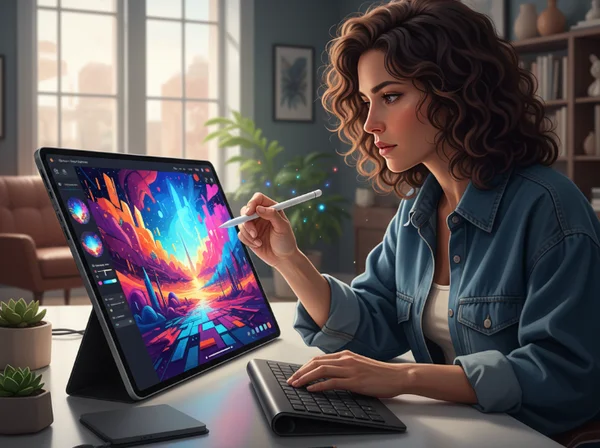
Integrating AI Painting into Your Concept Development Phase
The beginning of any project is often the most challenging part. Many creators struggle with the "blank canvas" syndrome, where starting from scratch feels overwhelming. Integrating an ai painting professional workflow early on can eliminate this friction. Instead of spending hours sketching basic shapes, you can use AI to visualize your ideas instantly. This phase is not about the final product. It is about exploration, discovery, and finding the right visual direction for your project.
Using AI Painting for Rapid Ideation and Mood Boards
Mood boards are essential for setting the tone of a project. Usually, this involves searching stock photo sites for hours. With an ai painting generator, you can create custom mood board elements that perfectly match your vision. If you need a specific color palette or a particular "vibe," you can simply upload a base image and apply different styles.
For example, a concept artist might need to see how a city looks in a "Cyberpunk" style versus a "Watercolor" style. By using an online tool, you can generate multiple versions of an idea in seconds. This allows you to present a cohesive visual language to your team or clients much faster than traditional methods allow. It turns a long brainstorming session into a fast-paced visual experiment where you can generate digital art on demand.
Transforming Reference Photos into Artistic Concepts
Professional artists often use reference photos to guide their work. However, a raw photo can sometimes feel too "real" or stiff for a creative project. This is where transforming reference photos becomes a game-changer. By uploading a simple smartphone photo to a painting generator, you can see it through the lens of various artistic movements.
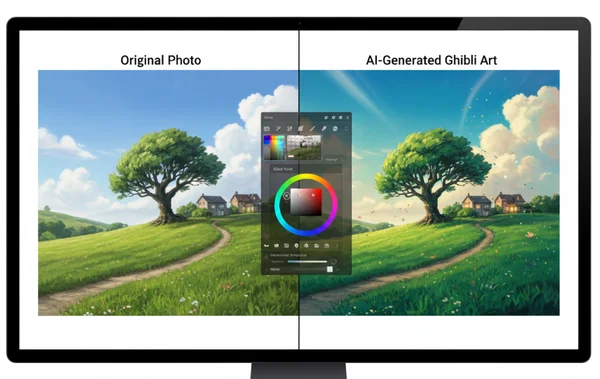
If you have a photo of a landscape, you can convert it into a Ghibli-style painting to see how the lighting and colors change. This "style transfer" helps you understand the essence of a scene without getting bogged down by realistic details. It provides a creative springboard, allowing you to focus on the composition and emotion rather than the technical accuracy of the initial sketch.
Enhancing Your Digital Art Workflow with AI Painting
Once you move past the initial concept, the "heavy lifting" of digital art begins. This middle phase involves a lot of repetitive tasks, such as painting backgrounds or testing different lighting setups. Using an ai painting professional workflow during this stage can save you dozens of hours of manual labor. It allows you to focus your energy on the most important parts of the piece—the characters, the story, and the unique details that only a human hand can perfect.
AI-Assisted Background and Environment Creation
Painting detailed backgrounds is often the most time-consuming part of illustration. Many digital artists now use AI to create the "base" of their environments. By uploading a rough layout or a basic 3D render, you can use an online painting generator to add textures, lighting, and atmospheric effects.
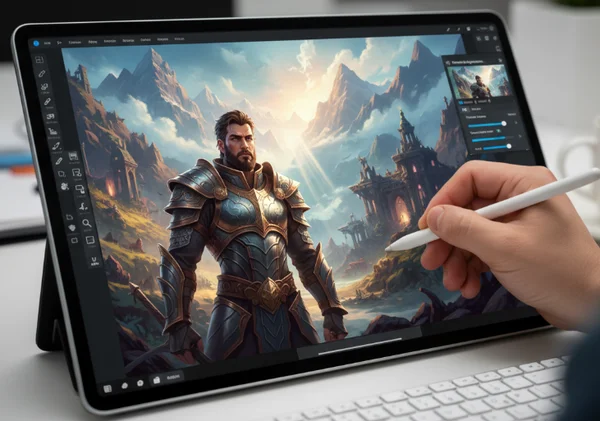
Imagine you are working on a fantasy novel cover. You can generate a "Fantasy Art" style background based on a simple sketch. Once the AI provides the base, you can paint over it, adding specific elements and refining the focal points. This hybrid approach ensures that the background feels rich and professional while still fitting perfectly with your hand-drawn characters. It is a powerful way to explore diverse styles without starting from zero every time.
Style Exploration and Art Direction Testing
Finding the right "look" for a project is a process of trial and error. In a traditional workflow, changing the art direction halfway through a project is a nightmare. With AI painting, you can test different directions in minutes. You can take a single character design and see how it looks as an "Oil Painting," a "Sketch," or even in an "Abstract Art" style.
This flexibility is invaluable for art directors. Instead of asking an illustrator to spend three days creating a sample, you can use our professional platform to generate several style variations instantly. This helps the entire team align on the visual goals before any significant manual work begins. It reduces the risk of miscommunication and ensures that the final product meets the creative brief perfectly.
AI Painting for Finalization and Output Optimization
The final stage of the creative process is all about polishing. This is where you add the finishing touches that make an image pop. Even at this late stage, AI painting offers tools to enhance the quality and variety of your work. It helps you move from a "good" image to a "stunning" one by optimizing textures and providing options for presentation.
Enhancing Details and Textures in Your Artwork
Sometimes a digital painting can look "too digital"—the gradients are too smooth, or the edges are too sharp. You can use an AI painting tool to add organic textures back into your work. Try running your final digital piece through an "Oil Painting" or "Watercolor" filter at low intensity. This introduces subtle brushstrokes and canvas textures to your work.
These small details add a sense of craftsmanship and depth to your work. It makes the digital art feel more tactile and traditional. For photographers, this is a great way to turn photo into painting effects that look authentic rather than like a simple computer filter. The AI understands the shapes in your image. It applies textures that follow the contours of the subject, creating a much more realistic result.
Creating Art Variations for Client Presentations
When working with clients, it is always better to provide options. However, creating three different versions of a finished painting is usually not profitable. AI painting changes this dynamic. Once you have a finished piece, you can quickly generate 2-3 variations with slight style shifts or color adjustments.
You might present a "Clean Illustration" version alongside a "Vibrant Oil" version. This gives the client a sense of agency and shows that you have explored multiple creative paths. It increases client satisfaction and can often lead to more work, as you demonstrate your ability to handle various styles effortlessly. You can upload your final draft and see how different styles enhance your original vision.
The Takeaway
AI integration doesn't replace artists—it empowers them. With ai painting professional workflows, you'll navigate ideation more quickly, manage complex backgrounds effortlessly, and offer clients unprecedented creative variety. Tools like our platform are designed to be intuitive, allowing you to focus on your creative vision while the technology handles the repetitive tasks.
Whether you are a professional illustrator looking to save time or a marketing manager needing high-quality visuals, AI painting offers a solution that balances speed and quality. The future of digital art is collaborative—a partnership between human creativity and artificial intelligence. We invite you to try our tool today and see how it can transform your unique creative process.
Frequently Asked Questions
How can AI painting actually improve my creative process rather than replace my artistic skills?
AI painting acts as a high-powered assistant. It handles time-consuming tasks like generating background textures, testing color palettes, or creating rapid variations of a concept. This frees you up to focus on the high-level creative decisions that require a human touch, such as storytelling, emotional impact, and complex character design. Think of it as a digital brush that can paint much faster, but you are still the one holding the handle and deciding where the strokes go. Many artists use it to generate unique art as a base and then add their personal style on top.
What are the best practices for preparing source images to get optimal results from AI painting?
To get the best results, start with a high-contrast image that has a clear subject. Avoid images that are very blurry or have too much visual "noise." If you are using a rough sketch, make sure the lines are bold and the composition is easy to understand. The AI works best when it can clearly identify the foreground and background. Once you have a solid source image, you can use the tool to apply different artistic styles effectively. Using JPG or PNG formats with good resolution will ensure the AI has enough data to create a high-quality painting.
Can I use AI-generated art commercially without copyright issues?
At our platform, we encourage users to use their own original photos and sketches as the base for their creations. When you use your own content, you maintain a much stronger claim to the final creative output. However, copyright laws regarding AI art are still evolving in many countries. Generally, AI-generated images that have significant human input are used widely in commercial projects like blogs, social media, and concept art. This includes projects using your own source photos and specific style choices. We recommend checking the specific laws in your region for large-scale commercial distributions. To begin experimenting with your own photos, you can start for free on our homepage.